User Guide

Xtract2AI is a cloud-based platform that converts SCORM course packages into structured formats like JSON, CSV, and text. The system enables easy integration with AI systems, analytics tools, and LMS migration projects.

Purpose

The purpose of this guide is to help users understand and utilize all Xtract2AI features, serving as a comprehensive reference for onboarding, configuration, and advanced usage.

Audience

  • End Users & L&D Managers
  • Organization Admins
  • Technical Integrators & Developers

Platform Overview

xTract2AI is built on a robust multi-tenant architecture with role-based access control (RBAC).

  • REST APIs for upload, extraction, and retrieval.
  • Supports SCORM 1.2, 2004, and upcoming xAPI, cmi5, and AICC standards.
  • Bulk upload capability through the Repository Manager.

User Roles

Org Admin/Manager

Full organization-level access: manage users, bulk uploads through repositories, purchase subscriptions, and view analytics.

Member/User

Limited access: upload courses, preview content, and view extracts.

Account Management

Registration

Registration

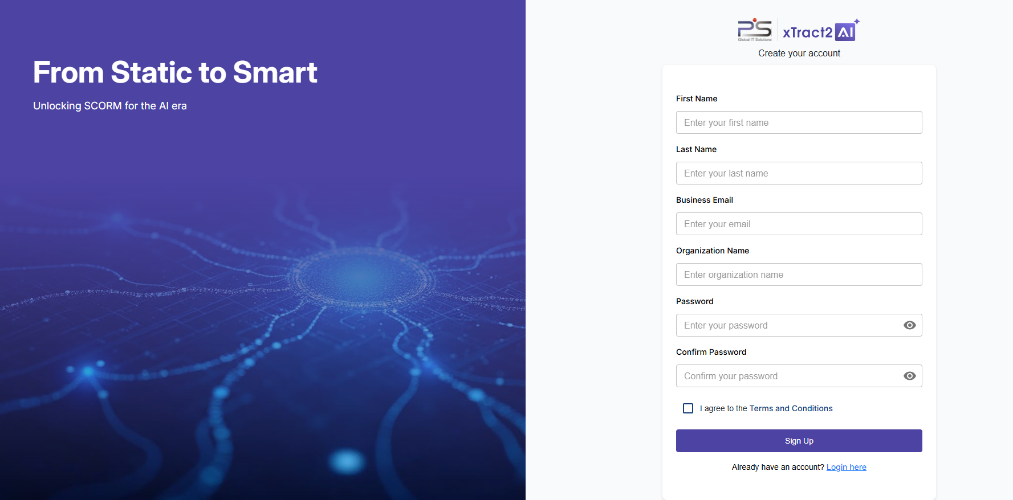
Users can self-register via the microsite using form.
Login

Login and Security

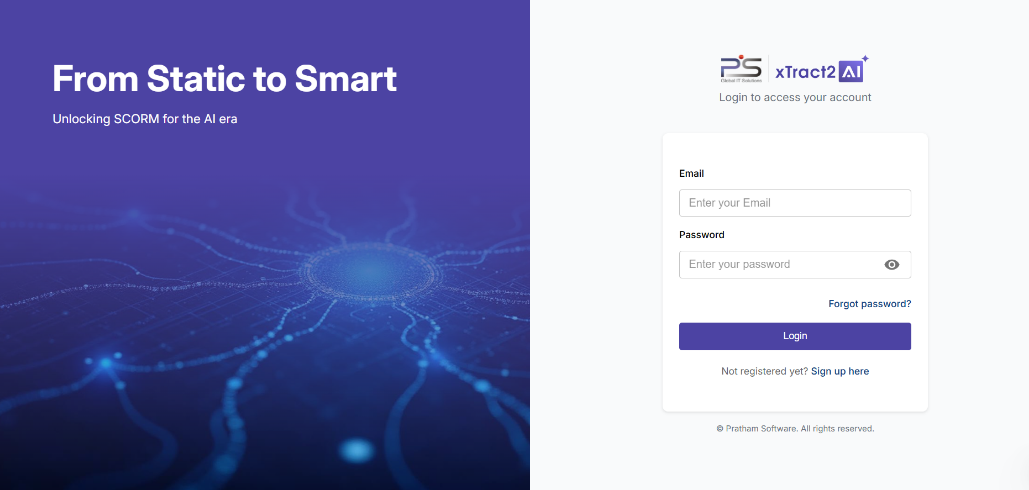
The system provides a secure login flow with password recovery available via email.

Trial

Trial Plan Activation

If no plan is mapped during self-registration, the system automatically activates a 14-day trial and displays the remaining quota, uploads, and expiry details.
SCORM Upload and Extraction

Upload Process

1

Navigate to Courses

Access the courses section from your dashboard.

2

Click Upload Course

Select the upload button to begin the process.

3

Select SCORM Package

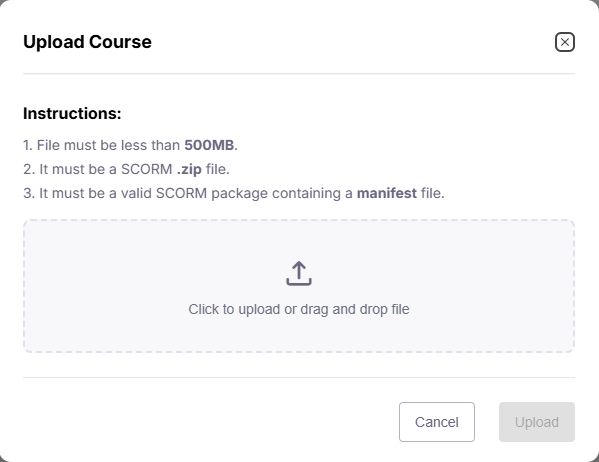
Choose a valid SCORM .zip file from your computer.

4

Validation

System checks file size, format, and manifest automatically.

5

Extraction

Content extraction runs automatically after successful upload.

Upload

Supported File Types

  • • SCORM 1.2 / 2004 .zip packages
  • • Maximum file size depends on plan (Trial: 256MB)

Extraction Output

  • Structured JSON: Course outline, modules, quiz text.
  • CSV/Text: Simplified version for reports (paid plans).

Bulk Upload via Repositories

  • The Repository Module allows users to configure their repository (AWS S3, Azure blob & Google Cloud Storage)
  • Further user can create batch(s) and link to repository to upload multiple SCORM files simultaneously.
  • Files are queued and processed sequentially to ensure system stability.
  • Each file’s extraction progress and results are tracked in real-time.
  • Users can view batch upload history and extraction status under the grid of batch management.

Content Preview and Export

Trial Users

  • Can view extracted content in read-only Preview Page.
  • Copy, paste, or download is disabled.

Paid Users

  • Can export content as JSON, CSV, or Text.
  • Download options available under each file.

Media Extraction

Supported Media

  • Audio & Video files within SCORM. .

Output

  • Media metadata (duration, size, type).
  • Transcripts for audio/video.
  • JSON output for integration with AI pipelines.

API Management

xTract2AI provides a secure and flexible API layer that allows customers to integrate course upload and processing directly into their own systems.

Course Upload via API

Customers can upload SCORM courses and related content using REST APIs without manually accessing the platform interface.

Webhook Integration

Webhooks are implemented to send real-time notifications for key events such as upload completion, extraction success/failure, and processing status updates.

Secure Access

All API endpoints are protected using authentication tokens to ensure only authorized users and systems can interact with the APIs.

Monitoring and Logs

API usage and performance are continuously monitored. Logs are available for debugging, tracking uploads, and auditing API activity.

Seamless Integration

The APIs are designed for easy integration with LMS platforms, DMS tools, or enterprise workflows, enabling automation and interoperability.

Subscription and Plans

Choose the perfect plan to match your content extraction needs.

Trial Plan

  • 14-day validity.
  • Upload 1 SCORM package (256MB, 0.5 media hours).
  • Preview-only access.

Paid Plans

Plan Duration Upload Quota Storage Features
Pay-per-Use Per course 1 course 256 MB Single-use extraction
Starter 3 months 250 courses 50 GB Basic AI & reporting
Pro 1 year 1000 courses 1 TB Full AI, APIs, analytics
Enterprise Custom Unlimited Custom Dedicated hosting

Subscription Purchase Module

  • Accessible under Subscriptions → Activate Plans.
  • Displays all available plans with detailed features and pricing.
  • Allows user to compare and select plans.
  • Post-purchase, the user’s plan updates automatically with new quotas.

Upgrade and Renewal

  • Access the Subscriptions menu.
  • Compare plans and select desired package.
  • Upgraded plans apply immediately after payment confirmation.
  • Email confirmation is sent for every upgrade or renewal.

API and Integrations

API Access

  • Generate API keys from API Management.
  • API documentation Click Here

Integration Options

  • LMS (Moodle, Docebo, TalentLMS)
  • AI Tools (ChatGPT, RAG Pipelines)

Available APIs

  • Upload SCORM file
  • Bulk Upload (Repository API)
  • Extract & Retrieve JSON
  • Webhook for Extraction Complete events

Notifications and Alerts

  • Email reminders
  • Subscription upgrade confirmations.

Security

  • Encrypted file transfer (HTTPS, S3 Storage).
  • Access logs maintained for all user actions.
  • Audit logs for subscription purchases and repository activities.

Troubleshooting

Upload Error

Check file size and SCORM manifest.

Bulk Upload Issue

Review file names and retry failed uploads from Repository Dashboard

Trial Expired

Upgrade via Subscriptions page.

No Verification Email

Check spam folder or request resend

For additional support, contact support@xtract2ai.com

Glossary

SCORM

Sharable Content Object Reference Model

JSON

JavaScript Object Notation used for structured data

RAG

Retrieval-Augmented Generation for AI agents

LMS

Learning Management System

Repository

Central storage area for batch uploads and file organization

Subscription Module

In-app system for purchasing or upgrading plans